The field guide · version 2.0.0
From a new profile
to a guest online.
Start with the setup guide, then follow the task you need. These instructions use the new app screens and example networks.
- GUIDE 01 · 4 STEPS
Your first profile and controller
Set up a profile, connect a UniFi controller and keep its connection details on your device.
Follow the screens →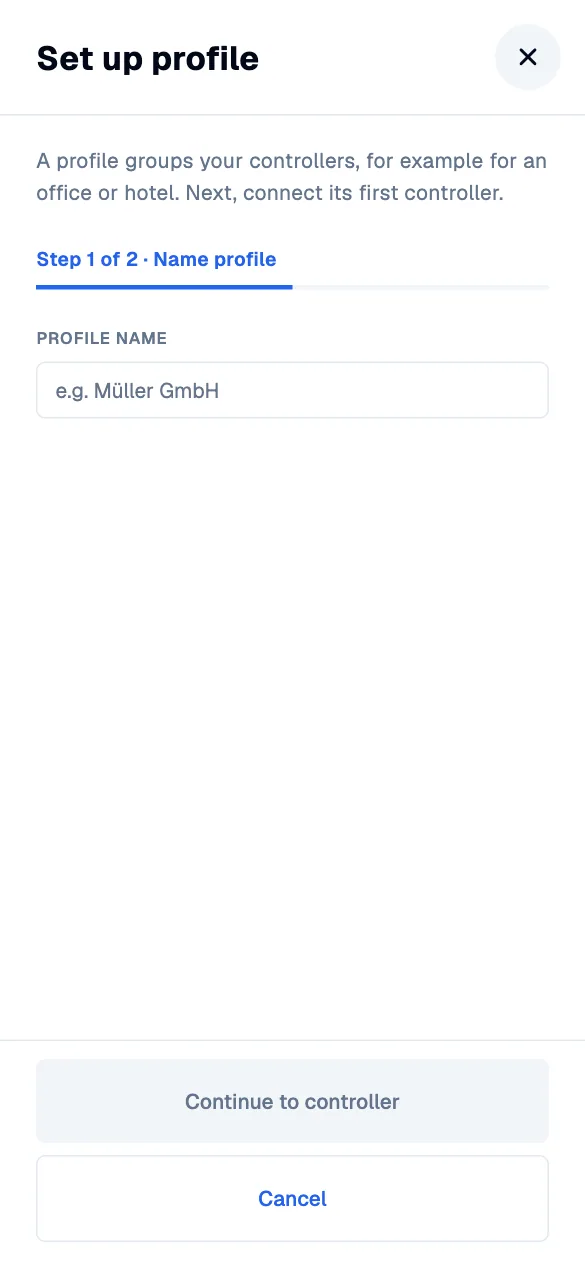
- GUIDE 02 · 4 STEPS
Give a guest a voucher
Create a guest voucher, choose its validity and share the code from the same app on any supported platform.
Follow the screens →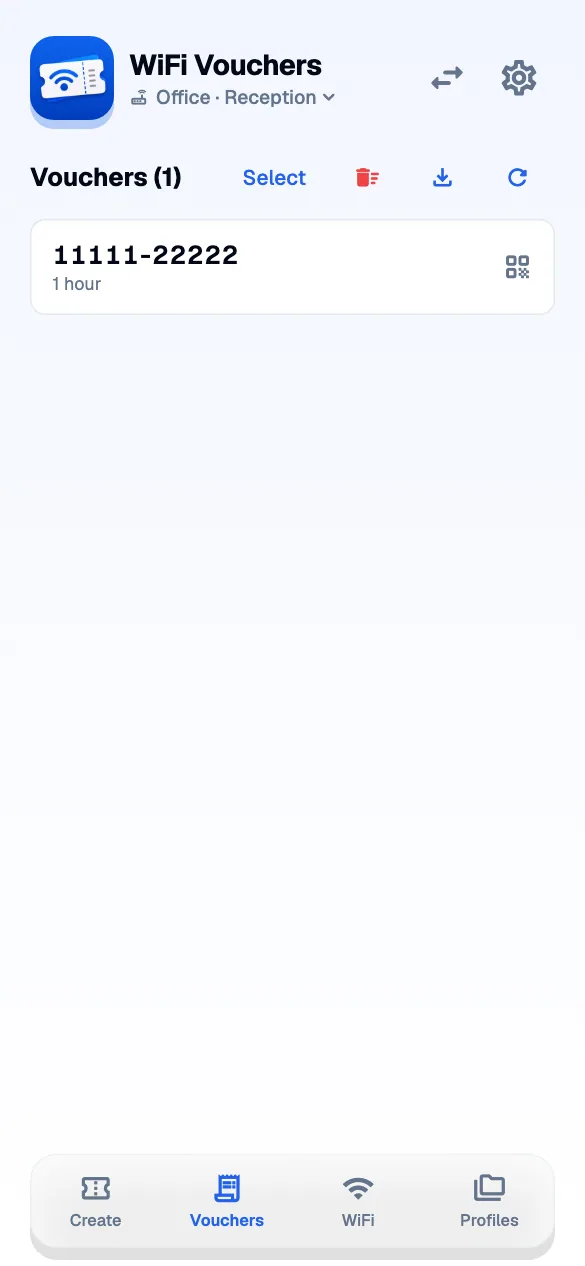
- GUIDE 03 · 3 STEPS
Keep several locations organised
Group controllers into profiles and switch between the networks you look after.
Follow the screens →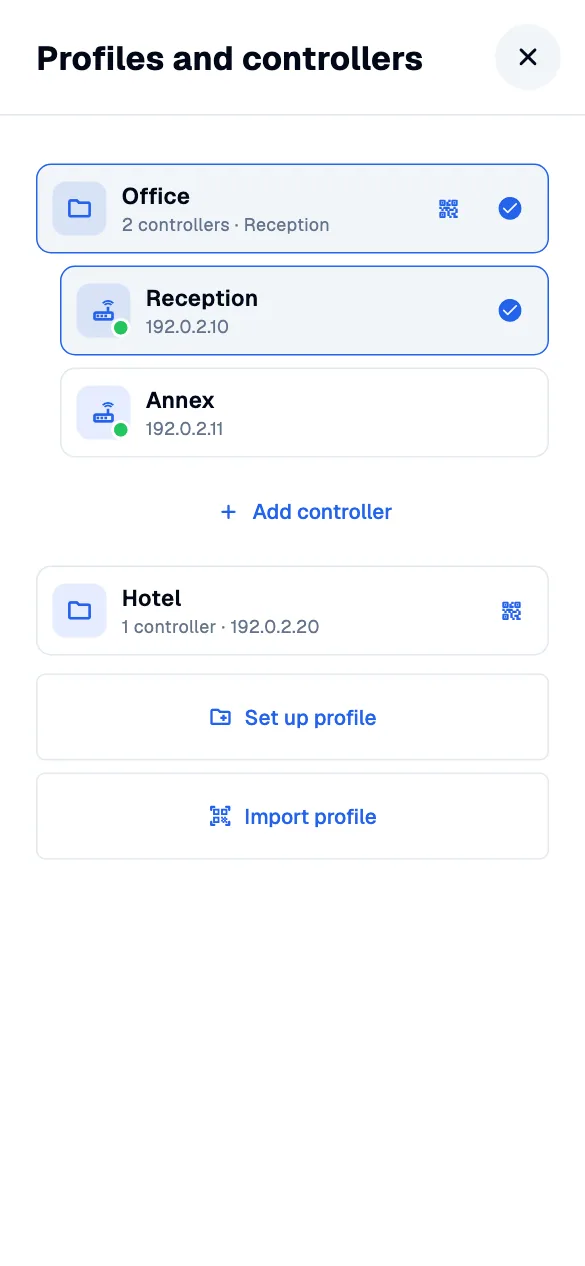
- GUIDE 04 · 3 STEPS
Share a WiFi join card
Save a WiFi password and share a QR card that guests can scan to join the network.
Follow the screens →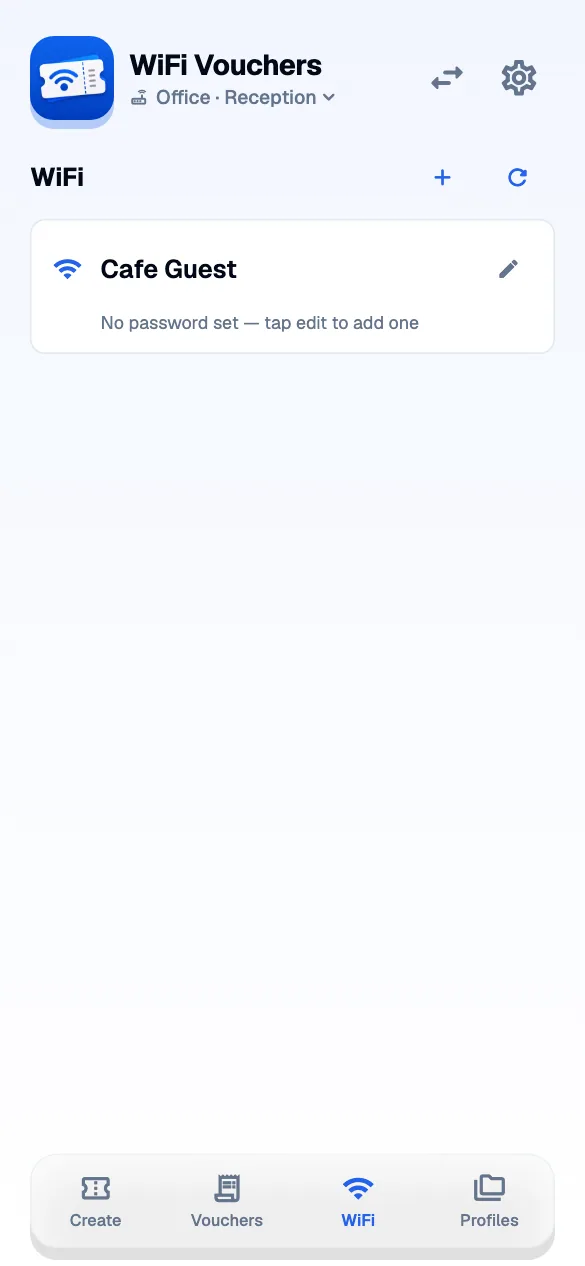
- GUIDE 05 · 3 STEPS
Use the app at your desk
Use the same WiFi Vouchers app in a wider window, with a sidebar and keyboard shortcuts.
Follow the screens →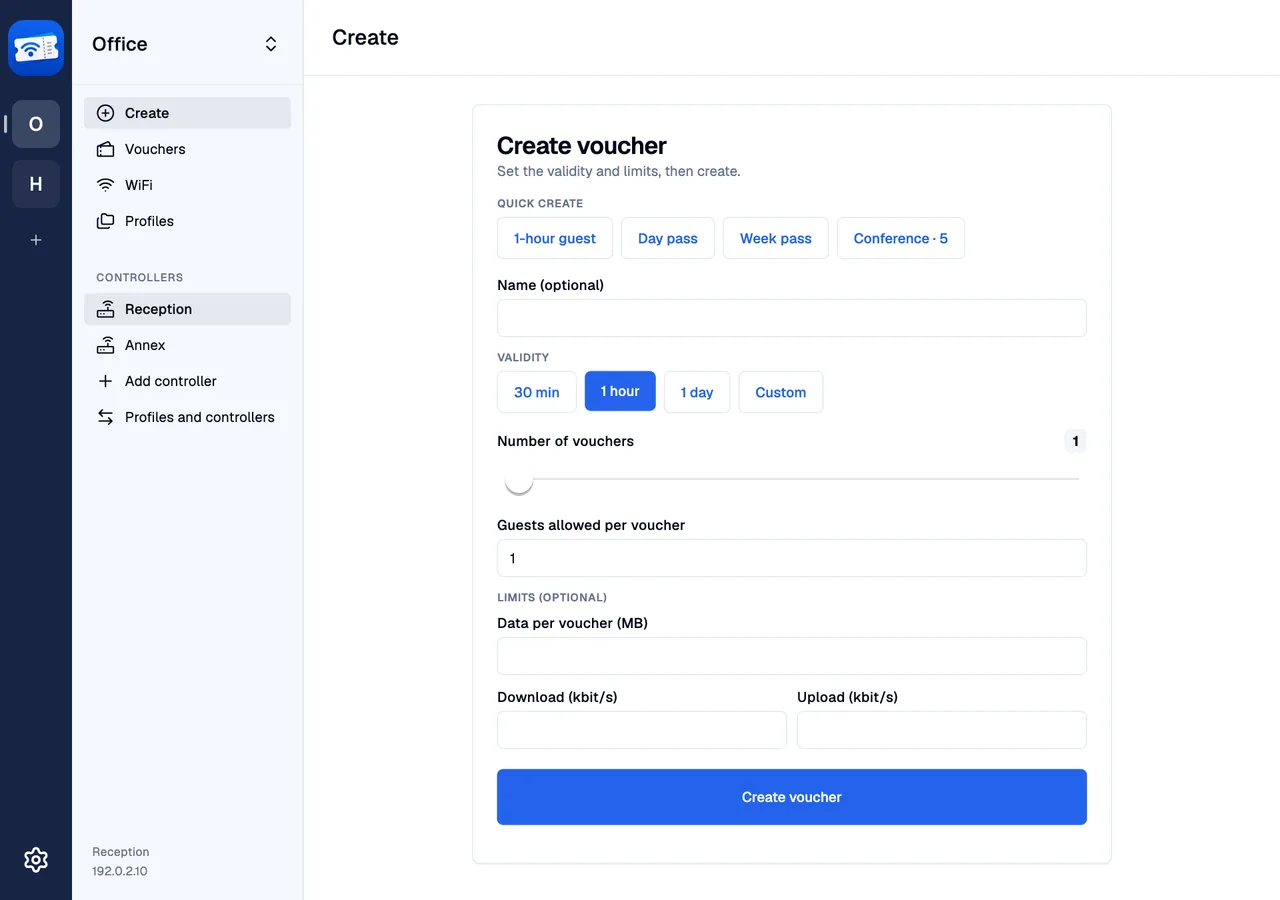
The result
A code ready to hand over.
After creating a voucher, open its code to show or share it. Your guest joins the hotspot and enters this code in the portal. A WiFi join card serves a different purpose: it contains the network password.
Follow the voucher guide →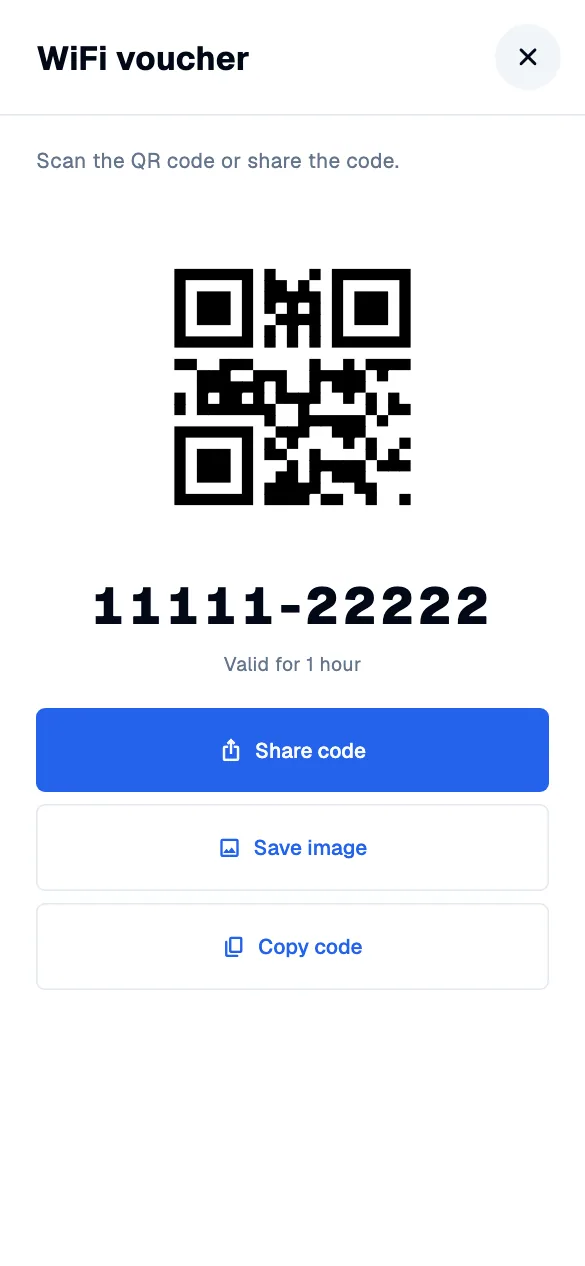
Looking for a particular screen? Open the complete screenshot gallery →