getvouchers.app
by sushi.dev
getvouchers.app
by sushi.dev
Create, share and revoke UniFi hotspot vouchers from your Mac or phone — no clunky controller UI, no exported CSVs.
macOS · iPhone · Android · Uses the official UniFi Network API
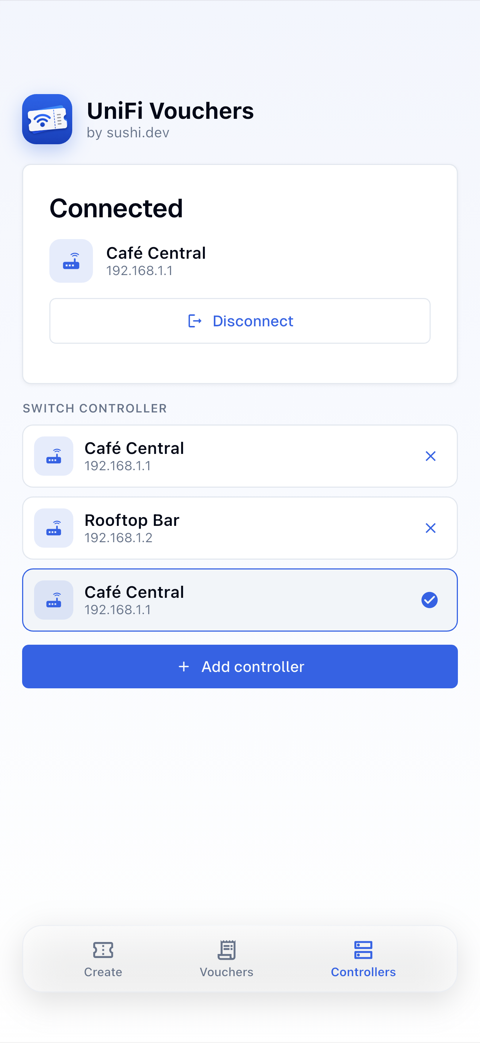
Auto-discovery on the LAN, or type the IP.
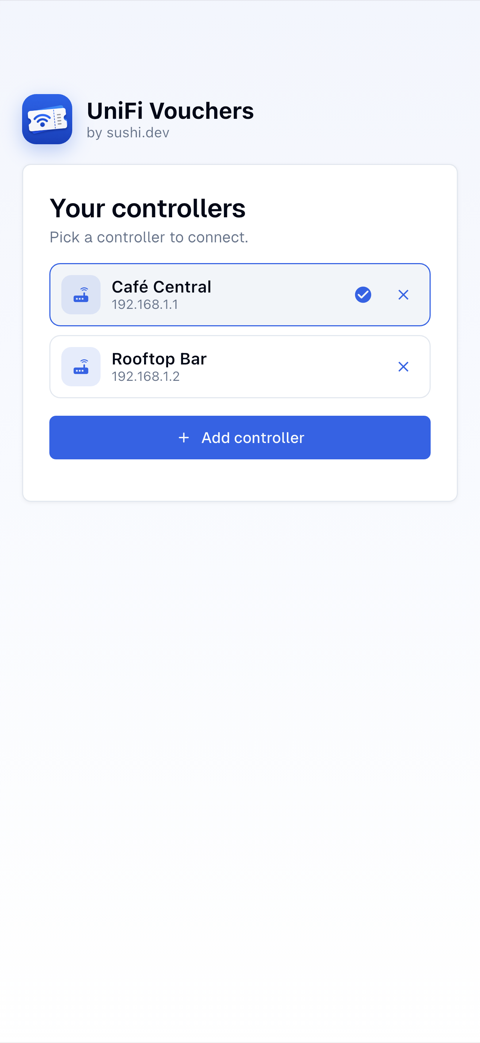
Stored securely; switch between sites in a tap.
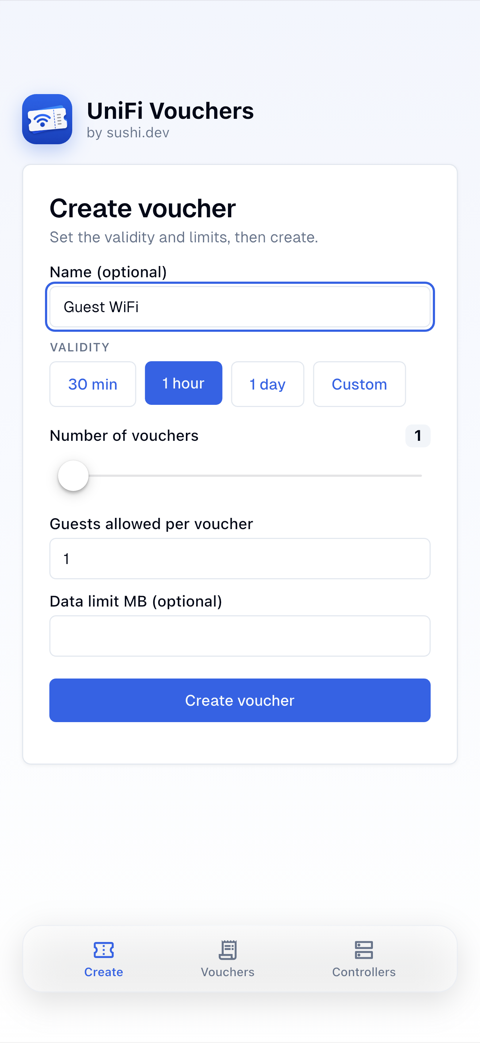
Validity, guest limit, batch count, data caps.
Day pass, week pass, conference — in a tap, or straight from the app icon.
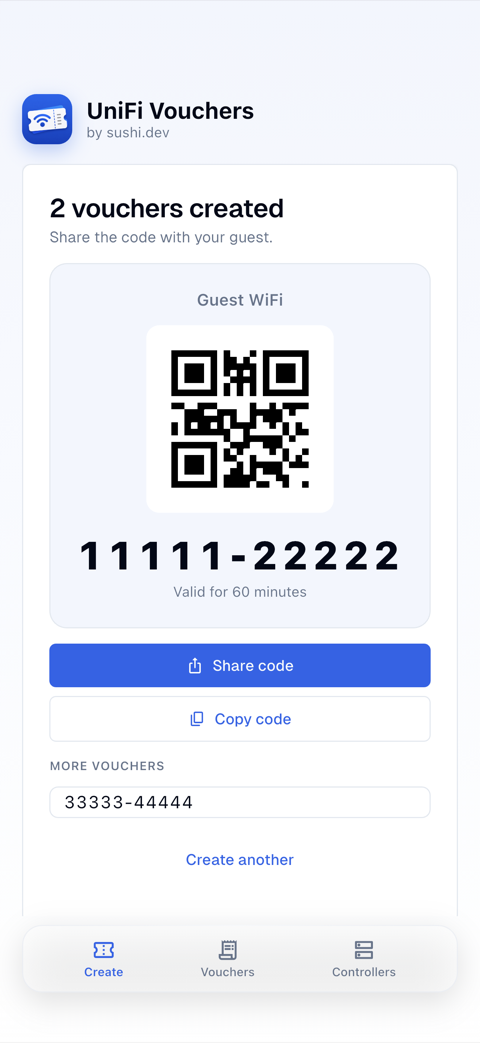
SMS, WhatsApp, Signal, email — as text, a QR, or a branded image.
Guests scan a WiFi QR and connect — no password typing.
A tidy PDF of voucher cards (QR + code) for the front desk.
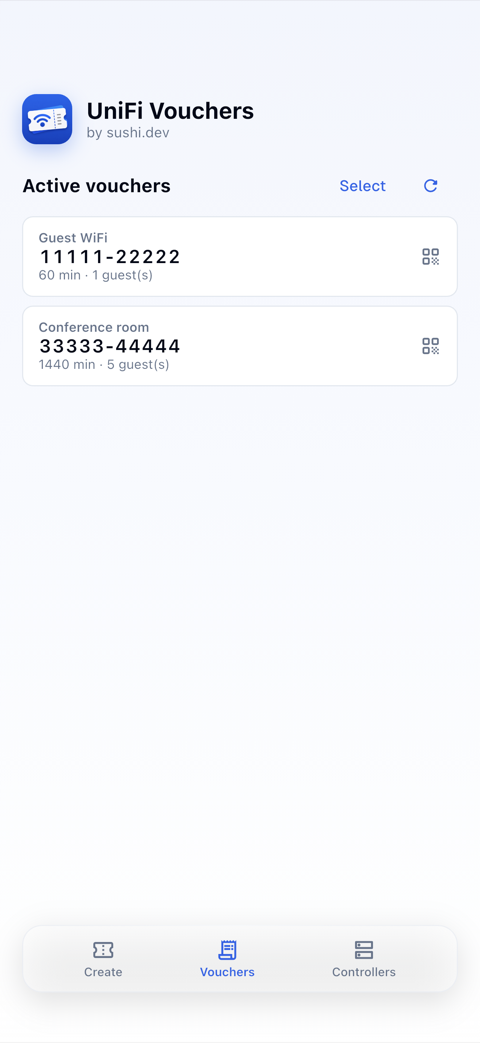
See active vouchers and kill any of them.
See how many guests used each voucher — expired ones flagged.
macOS & iPhone, with an optional menu-bar mode.
Optional self-hosted proxy: the app gets a voucher-only token, never your full API key.
Create, share and manage guest WiFi vouchers — right from your phone or Mac.
UniFi API keys carry every right of the admin who made them, and Ubiquiti offers no way to scope one down. If handing that to any third-party app is a line you would rather not cross — run unifi-voucher-proxy instead. It keeps the key on your own hardware and gives the app a token that can do nothing but manage vouchers — open source, so you can read exactly what it does before you run it.
The app
A voucher-only token
Scoped to the sites you name, with its own limits. Revoking it is deleting one line.
The proxy
Runs on your hardware
Forwards four voucher calls and refuses everything else. Every request is written to an audit log.
Your console
Keeps the real key
It never leaves the proxy, and the connection to your console is certificate-pinned.
First, get it — a single static binary, or a container:
git clone https://github.com/sushidev-team/unifi-voucher-proxyPin your console’s certificate
unifi-voucher-proxy fetch-fingerprint --host 192.168.1.1Mint a token for the device
unifi-voucher-proxy hash-token --name reception-iphoneOnly the hash is stored, so a copy of the config is not a working credential. You can supply your own key instead of a generated one.
Start it, and point the app at it
docker compose up -dIn the app, open Add a controller and switch to Via proxy, then enter the proxy’s address and your token. The app checks what the token may do and adapts: a read-only token gets no create button, one without revoke permission gets no revoke controls, and the batch slider stops at your configured maximum.
Not required to use the app. Connecting straight to your console works exactly as before.
Live on the App Store and Google Play. Free, no account required.
Distributed through the app stores. Requires a UniFi controller with the Integration API enabled (Network → Control Plane → Integrations).
A UniFi controller (UDM, Cloud Gateway, self-hosted Network application) with the Integration API enabled — Network → Control Plane → Integrations — and a guest hotspot with vouchers configured.
No. There are no accounts and no cloud in between: the app talks directly to your controller on your network, using an API key you create yourself. The key is stored encrypted in your device keychain.
In your UniFi console, open Settings → Control Plane → Integrations, name the key and select “Create API Key”, then paste it into the app. Step-by-step instructions are in Ubiquiti’s official guide, “Getting Started with the Official UniFi API”.
Yes — the iPhone and Mac apps are on the App Store and the Android app is on Google Play. All three are free, with no account and no cloud service in between.
iPhone, macOS (with an optional menu-bar mode) and Android. All apps are native and share the same feature set.
WiFi Vouchers for UniFi is free.
That is a fair position, and there are two answers. First, a UniFi API key inherits the role of the admin account that created it — so create a limited local admin (Site Admin, or View Only for read-only use) and generate the key under that account, ideally on a site used only for guest WiFi. Second, for scoping you enforce yourself, run unifi-voucher-proxy: it holds the real key on your own hardware and hands the app a token that can do nothing but manage vouchers. It is open source, so you can read exactly what it does before running it.
A small open-source service you run yourself, in Docker or as a single binary. It keeps your UniFi API key and exposes only four voucher operations — list sites, list, create and revoke vouchers — each limited to the sites, permissions and rate limits you configure. The app then connects to the proxy instead of to your console, and never sees the key at all. It also pins your console’s TLS certificate and writes an audit line for every request.
No. WiFi Vouchers for UniFi is an independent app by Sushi Dev GmbH and is not affiliated with or endorsed by Ubiquiti Inc. It talks to your controller exclusively through the official UniFi Network Integration API. UniFi is a trademark of Ubiquiti Inc.
Setup questions, feature requests, or just stuck — we usually reply within a day.
support@sushi.dev App Store
 Google Play