A guest checks in.
Choose the right property, use your usual validity preset and hand over a guest code. Keep each property’s controllers together in a profile.
 WiFi Vouchersfor UniFi · by sushi.dev
One voucher app · five platforms
WiFi Vouchers for UniFiiPhone · Android · Mac · Windows · LinuxUniFi tucks voucher creation away inside network administration. When a guest needs WiFi, finding those controls becomes an unnecessary detour. WiFi Vouchers puts creating, sharing and revoking codes right in front of you — in one app across all five platforms.
Free · Your controller · No additional app account
Version 2.1.0: see the release preview →
Find us onProduct Hunt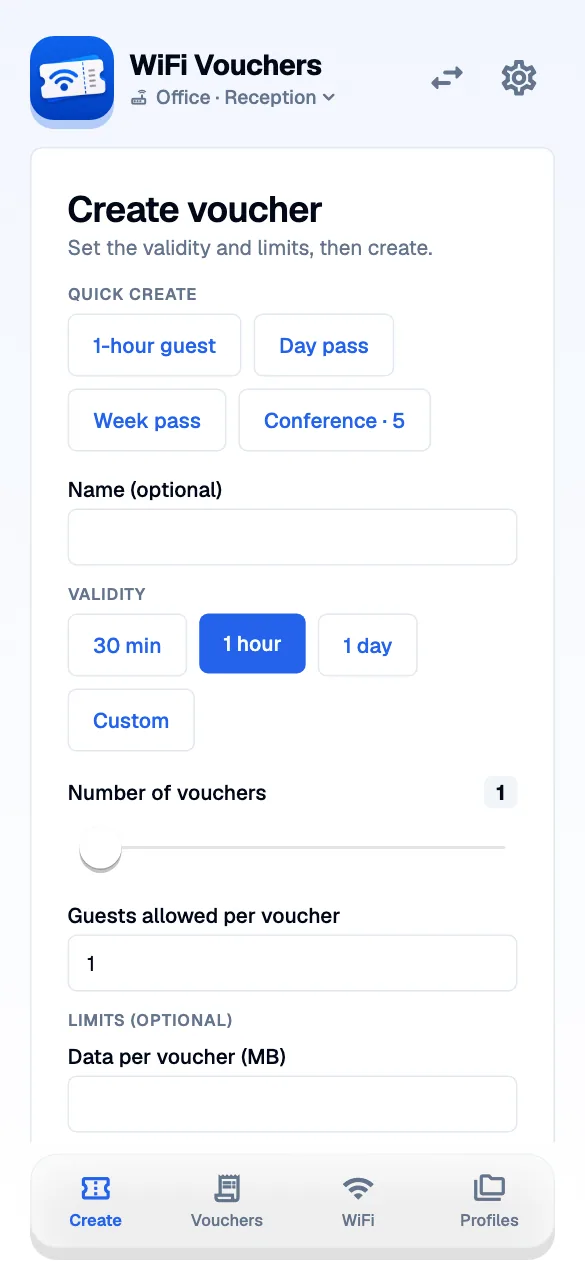
Opening network administration, finding the voucher controls, then creating a code: a small request becomes a series of interruptions. Connect your controller once in WiFi Vouchers. Next time, open the app, choose the validity and create the code.
Choose the right property, use your usual validity preset and hand over a guest code. Keep each property’s controllers together in a profile.
Make a short-lived voucher without navigating the network administration screens. Share the code as a message or a printable card.
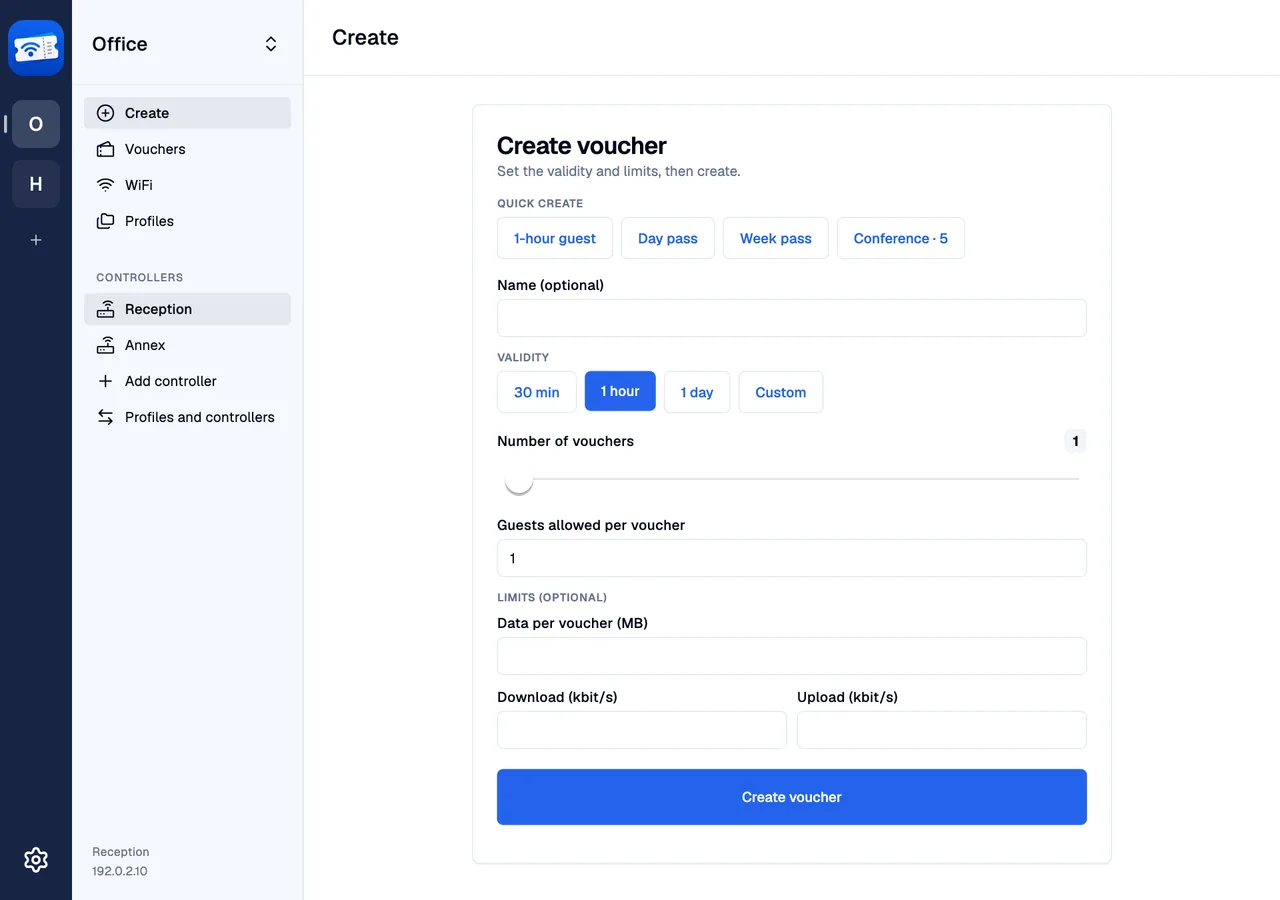
Open the same app on whichever device is at hand and create access for visitors. Switch between controllers in the sidebar and check the vouchers you have already issued.
iPhone, Android, Mac, Windows or Linux: the same voucher workflow adapts to the space available. Use a profile for each place or customer and keep its controllers together. Your UniFi controller continues to manage guest access.
Name a profile, connect its first controller and keep the API key in secure device storage. Add further controllers to the same profile.
Keep the validity periods and voucher presets you actually use. Change them on dedicated editing screens.
Voucher codes are entered in your hotspot portal. A WiFi password QR joins an SSID directly. The app supports both, with different cards for each.
Share a profile by QR or link with a trusted colleague. It contains controller API keys, so treat it like a credential.
The guides show the app you will use, with a screenshot beside each step. Start with your first profile, or go straight to handing a guest a code.
Part of the app since version 1.7: create a voucher through your paired iPhone from Apple Watch, or open a saved preset from a Home Screen widget.
Choose 1 hour, 4 hours or 1 day. Create through the paired iPhone and read the result on your wrist.
Two presets in the small widget, four in the medium one. Tap a preset to open the app and create the voucher.
Illustrative mockups based on the Apple Watch and iOS widget views · demonstration data.
The app connects to your controller. There is no WiFi Vouchers cloud account between you and your network.
For a team that only needs voucher operations, you can run the optional unifi-voucher-proxy yourself. The app uses a proxy token while the controller API key stays on your server.
Start with the network you already have
You need a reachable UniFi controller with a compatible Integration API. For vouchers, configure a guest hotspot with voucher authentication first.
iPhone, Android and Mac are distributed through the app stores. Windows and Linux downloads are hosted on Fairu. These are downloads of the app; the optional proxy is a separate server service.
Before you connect your first controller.
Voucher creation is tucked away in UniFi’s network administration. WiFi Vouchers gives that everyday task its own clear starting point: choose a preset, create a voucher and share it. It is one app for iPhone, Android, Mac, Windows and Linux; your controller still manages the vouchers.
No. Your controller still creates and enforces vouchers. Guests connect to the hotspot and enter their voucher in its portal. The app makes issuing and managing those codes easier.
The connection flow uses a controller API key, or a token for your self-hosted proxy. It does not ask for the controller administrator’s username and password.
It cannot search Apple’s system WiFi keychain. Copy a WiFi password from your password manager and use “Paste password”. It stays in the form until you save it.
The guide follows the current screens, from creating a profile to handing a code to a guest. Screenshots use example networks and credentials.
Use the Apple App Store for iPhone and Mac, and Google Play for Android. The Windows and Linux pages provide installation instructions and verified downloads hosted on Fairu once available.
No. These downloads are the WiFi Vouchers app, with its voucher interface and profile management. The optional unifi-voucher-proxy is a separate server service that limits controller access. The app can connect directly to your controller without a proxy.